
VolKnob: Native macOS Audio Utility
A tiny, native macOS menu-bar app written in Swift. It brings your volume keys back on any output — even hardware-only USB interfaces and DACs — and adds a real-time 31-band graphic equalizer plus an enhance suite (bass, clarity, dynamic boost, ambience, surround). A free, open-source alternative to $50 SoundSource.
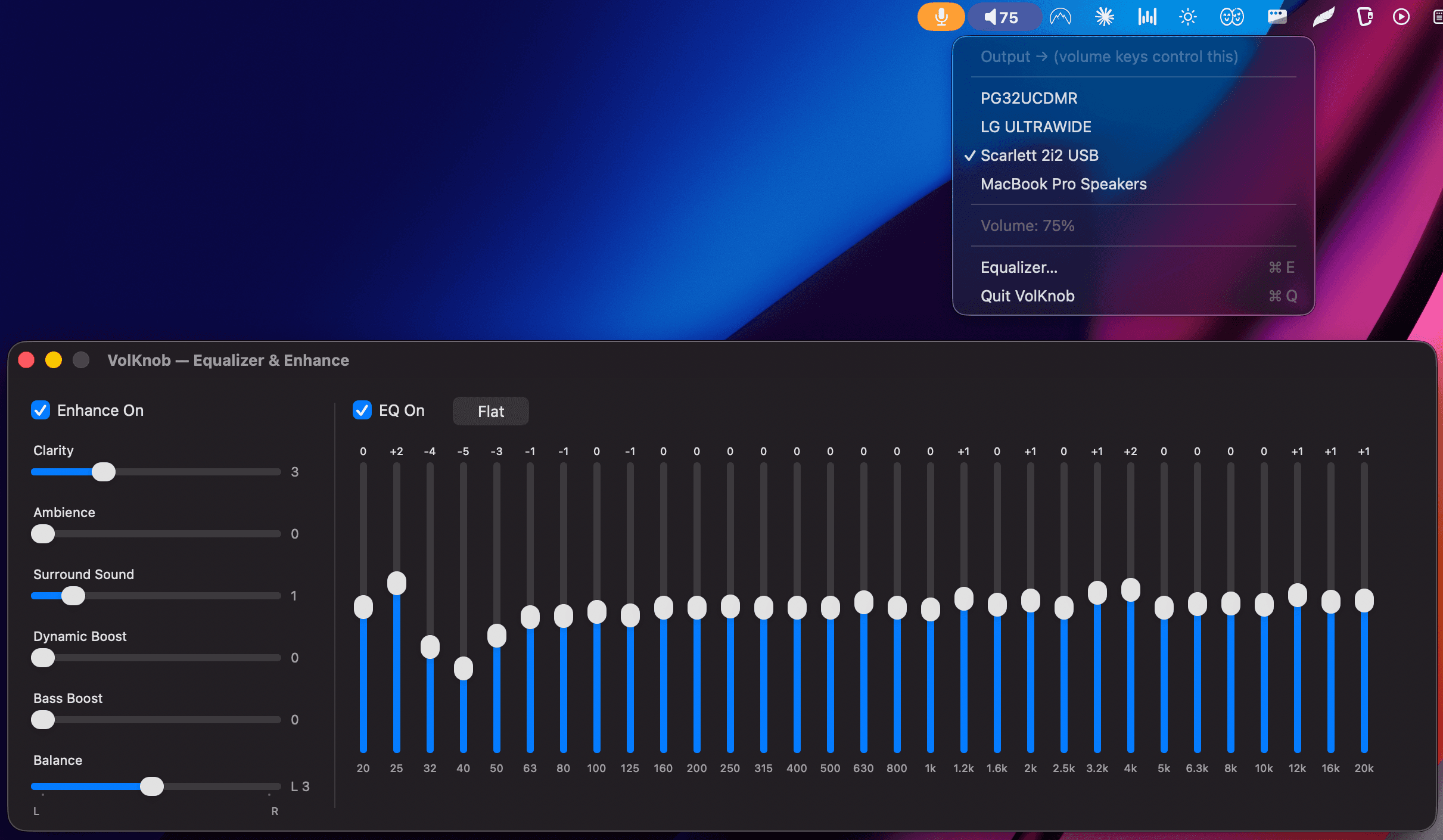
Screenshots
The real app, running on macOS.
A native Swift menu-bar utility: a one-click output switcher that brings your volume keys back on any device, plus a real-time 31-band graphic equalizer and enhance suite.
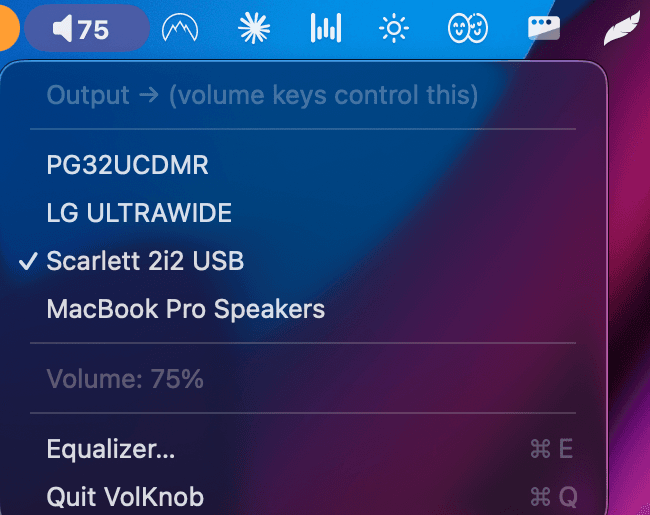
Menu-bar output switcher — volume keys now control the Scarlett 2i2.
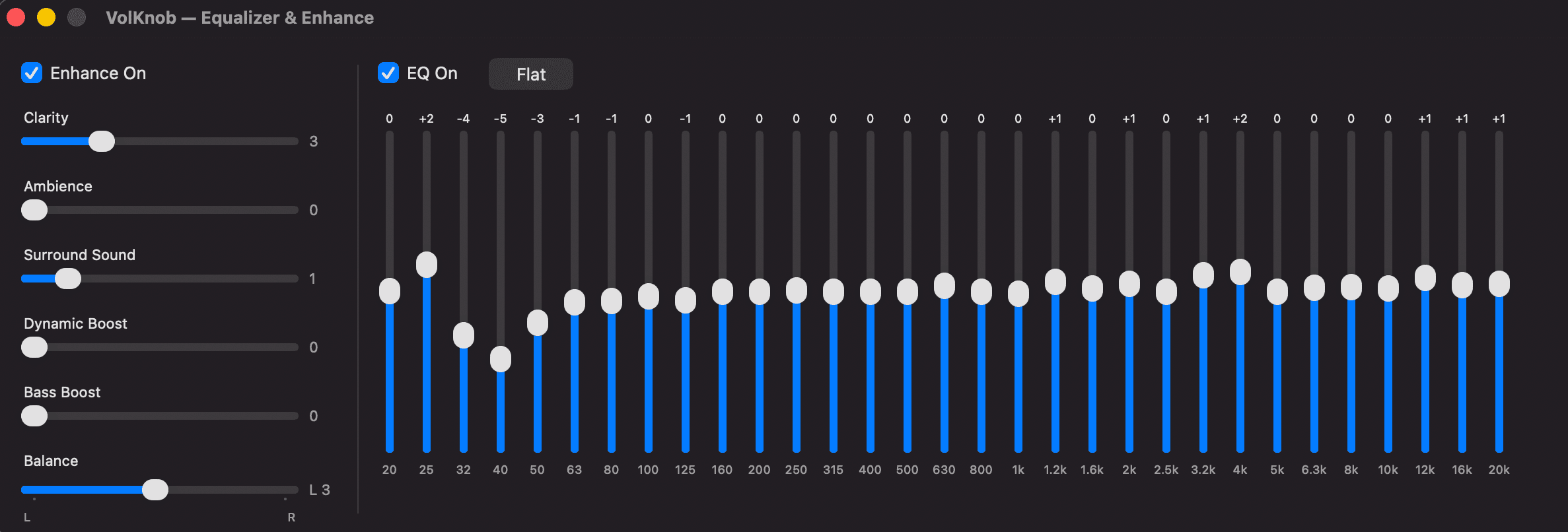
Real-time 31-band graphic EQ and enhance suite (bass, clarity, dynamic boost, ambience, surround).
Project Overview & Innovation Report
Executive Summary
VolKnob is a tiny, native macOS menu-bar application written entirely in Swift. It solves a real, everyday pain point: plug most USB audio interfaces or DACs (like a Focusrite Scarlett 2i2) into a Mac and the volume keys stop working, because the device reports no software volume. VolKnob restores hardware volume-key control on any output and adds a professional real-time audio pipeline — a 31-band graphic equalizer and an enhance suite — all in a lightweight app that starts at login. It is free and open source, positioned as a $0 alternative to the $50 SoundSource.
Key Innovations
- 🚀Real-time Core Audio DSP pipeline applying volume, 31-band EQ, and enhancement with low latency
- 🚀Volume-key capture on any output, including hardware-only interfaces with no software volume
- 🚀Glitch-free multi-device routing via a Core Audio aggregate device that handles clock drift
- 🚀Pro 1/3-octave 31-band graphic EQ spanning 20 Hz to 20 kHz
- 🚀Native, sub-megabyte Swift/Cocoa app with sane defaults and clean audio restore on quit
- 🚀Free and open source (MIT) — a $0 answer to $50 commercial tools
🚀 Core Learning Modes & Features
31-Band Graphic Equalizer
The pro 1/3-octave standard, applied to all system audio in real time. Flipping it on is night-and-day, and it costs nothing.
Highlights:
- ✓31 bands spanning 20 Hz to 20 kHz
- ✓Real-time processing with imperceptible latency
- ✓Applies to every app and every output
- ✓Sensible presets and flat default
Enhance Suite
FxSound-style "everything just sounds better" processing, layered on top of the EQ and tunable in real time.
Highlights:
- ✓Bass and Clarity enhancement
- ✓Dynamic Boost for perceived loudness
- ✓Ambience and Surround widening
- ✓Toggle each effect independently
Volume Keys On Any Output
The core fix: your Mac's volume keys (and mouse wheel) control your actual device — even hardware-only USB interfaces and DACs that macOS would otherwise grey out.
Highlights:
- ✓Works with USB interfaces like the Scarlett 2i2
- ✓Keyboard media keys and scroll-wheel control
- ✓One-click output switcher in the menu bar
- ✓No physical knob or paid software required
Native, Sleek & Free
A tiny menu-bar app that stays out of the way: auto-starts at login, restores your audio cleanly, and ships with a one-click installer that bundles everything.
Highlights:
- ✓Native Swift + Cocoa menu-bar app
- ✓Auto-start at login with clean teardown
- ✓Bundled installer including the BlackHole driver
- ✓MIT licensed and fully open source
🤖 How The Audio Pipeline Works
All system sound is routed through BlackHole (a free virtual audio driver) into VolKnob, which applies volume → 31-band EQ → enhance in real time and forwards the result to your chosen output. A Core Audio aggregate device reconciles clock drift between devices so playback stays glitch-free.
How It Works
- 🔹System audio → BlackHole → VolKnob → your output
- 🔹Volume, EQ, and enhancement applied in a single real-time pass
- 🔹Aggregate device handles inter-device clock drift
- 🔹Volume keys and mouse wheel drive the live signal chain
🛠 Technology Stack
Swift
Native app written entirely in Swift
Core Audio
Real-time DSP and aggregate-device routing
Cocoa
Native macOS menu-bar UI and app lifecycle
BlackHole
Free virtual audio driver for system routing
💡 Why It Matters
VolKnob shows the same product instinct behind TalkarTech's other work, applied to the native desktop: find a real, unglamorous pain point, then solve it cleanly and give it away. It proves depth beyond the web and mobile stack — native macOS engineering in Swift, real-time Core Audio DSP, and low-level device routing — packaged as a polished, sub-megabyte app that people install and keep.